
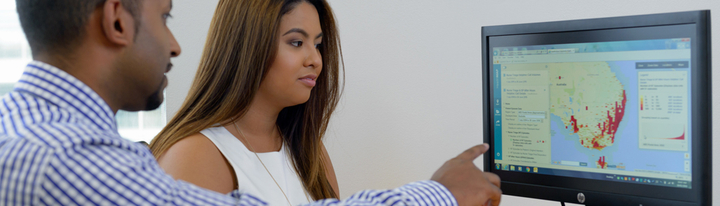
healthdirect Healthmap
healthdirect Healthmap is an online data visualisation tool designed and managed by Healthdirect Australia. This tool makes Australian health data easily available for population health planning at national and local levels, across different regions, population groups and time periods.
Via an easy-to-use interactive map, healthdirect Healthmap allows investigators to overlay multiple sets of health data from different sources to build a visual picture of the availability of health services, understand how people use them and identify gaps between service provision and service demand.
What data is available in healthdirect Healthmap?
Through one interface, healthdirect Healthmap gives open access to trusted data from the Australian Bureau of Statistics, the Australian Institute of Health and Welfare, the Public Health Information Development Unit and Healthdirect Australia, including:
- social and economic data
- population distribution and forecasts
- mortality and morbidity rates
- prevalence of chronic diseases
- prevalence of mental health issues
- health services data from the National Health Services Directory
Registered users from primary health networks and government departments can also access call data and consumer profiles sourced from Healthdirect Australia's helplines — healthdirect and Pregnancy, Birth and Baby.
How can I use healthdirect Healthmap?
healthdirect Healthmap is free and can be accessed via your web browser at healthmap.com.au. No downloads or login details are required to get started.
Anyone interested in using real data sets to explore Australia's population health will find healthdirect Healthmap a useful tool to investigate:
- national, state-wide or local statistical information about population groups and health services
- health and social characteristics of particular areas such as Primary Health Networks, Local Health Districts/Networks or post codes
- health and social characteristics compared across neighbouring areas and time ranges
- health planning regions such as Modified Monash Models
Data from healthdirect Healthmap can be used to build custom reports, data tables, charts and interactive map views. These can be exported and shared across a range of channels including websites and social media.
How to create a Healthmap account for PHN users
healthdirect Healthmap contains data from Healthdirect Australia helplines.
Those who have already signed up to Healthmap using a government or PHN email address have been pre-authorised to view and download the data. If you don't have an account, here are instructions on how to create a Healthmap PHN user account (login and password):
- Go to healthmap.com.au
- Click the 'Enter' button
- If you haven't previously created an account, you will be shown a 'Login to Healthmap' window
- At the Login window, click the 'Create your account' link
- Enter your details to register, and the system will send you a welcome email
- Click the confirmation email link in the welcome email to activate your account
- Return to healthmap.com.au, click enter and login
If you need assistance with navigating healthdirect Healthmap data, please contact Jerry Bacich.
Get started with healthdirect Healthmap.